PDF File Plus
DBR Soft Inc.Productivity
3.464.00 Reviews
- Version
- 1.1.0
- Installs
- 1.00M
- Age Rating
- Everyone
Screenshots
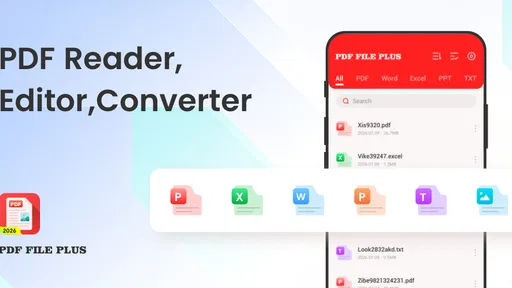
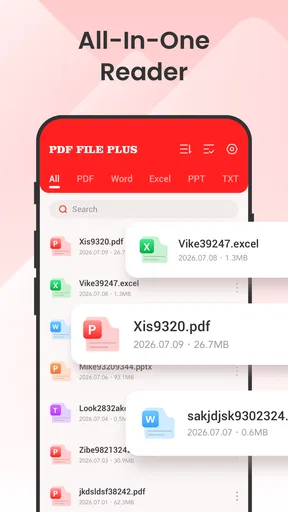
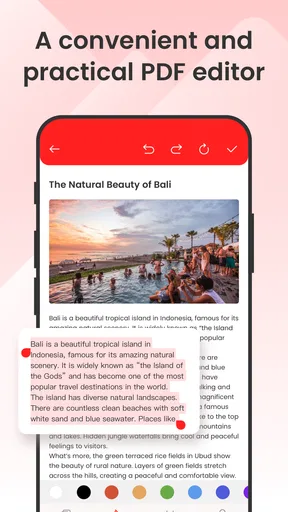
Our Review of PDF File Plus
 Analysis by Appyee
I approached PDF File Plus as a practical productivity app rather than a flashy document suite. Its purpose is straightforward: help me deal with PDFs and other office paperwork without constantly switching between unrelated tools. That focus makes sense for anyone whose phone regularly receives forms, invoices, work documents, application files, or attachments that need to be opened and organized quickly.
Developed by DBR Soft Inc., the app is free and available for users aged Everyone. It runs on Android starting with version 8.0, and the current release is 1.0.2. Those details make it accessible to a wide range of older and newer devices, although the experience will still depend on the phone’s storage, screen size, and built-in file-handling options.
My overall impression is that this is most useful when I treat it as a focused paperwork station. It is not the kind of app I would choose simply because I want a large ecosystem of cloud collaboration, design tools, or office editing features. Instead, I see value in having one place where PDF-related tasks feel more deliberate than opening files randomly from messages, downloads, and email attachments.
How I use PDF File Plus in a normal paperwork routine
The most sensible starting point is a simple baseline workflow. I first gather the documents I actually need, open them through the app, and decide whether each file belongs in an active task, a reference folder, or a temporary area that can be cleared later. This small habit matters because document clutter usually comes from keeping every download indefinitely, not from a lack of storage alone.
For an everyday example, imagine receiving a rental form, an insurance document, and a receipt on the same afternoon. Rather than leaving them scattered across a chat app, browser downloads, and email, I can use PDF File Plus as the point where I review them. I read the form, check the receipt, and keep the files together while the task is still active. Once the paperwork is finished, I can decide what deserves long-term storage and what no longer needs to occupy space.
That workflow sounds basic, but it is more useful than it appears. A PDF manager is only effective if it reduces the number of decisions I make later. I recommend giving files understandable names before saving them into a long-term collection. A name such as “insurance renewal” is easier to recognize than a string of characters copied from an attachment. The app can support the habit of organizing documents, but it cannot replace the judgment needed to create a filing system that makes sense.
I also found it helpful to separate reading from editing expectations. When I open a document, I first ask whether I only need to inspect it, whether I need to keep a copy, or whether I need to make changes elsewhere. This prevents a common mistake: assuming that every PDF tool is also a full document editor. PDF File Plus is best approached as a dependable way to manage paperwork, while more specialized work may still require another application.
The app’s productivity value becomes clearer for people who work from a phone. A desktop gives me a larger screen and more room for side-by-side windows, but a phone is often where a document first arrives. Having a dedicated place to handle that file can make a quick review less awkward. I would especially consider it for students, freelancers, field workers, families managing forms, and anyone who regularly receives office documents away from a computer.
At the same time, I would not install it expecting a complete replacement for every office application. If my routine centers on writing long reports, building spreadsheets, signing documents with formal compliance requirements, or collaborating with several people at once, I would compare it with a broader office platform first. PDF File Plus makes more sense when document handling is the problem I want to simplify.
Settings and setup choices worth checking first
Before creating a serious document routine, I would spend a few minutes checking the app’s available settings and the way it interacts with Android’s file system. The important question is not simply whether a document opens. I want to know where files are stored, how I return to recently handled paperwork, and whether the app’s behavior matches the way I already save attachments.
This is also where I would check default opening behavior. If Android keeps sending PDFs to several different applications, the workflow can become inconsistent. Choosing one dependable route for ordinary PDF work reduces friction. I would still keep another suitable tool available for tasks that PDF File Plus is not designed to handle, but I would avoid changing the default path every time a document arrives.
Storage deserves attention too. Paperwork apps can become accidental archives when users save every duplicate. I recommend reviewing the document list occasionally and removing copies that were created only for a one-time task. For important files, I would also keep a separate backup location rather than assuming that having a document visible in an app is the same as having a reliable backup.
Privacy is another practical consideration. Before importing sensitive material such as identity documents, medical paperwork, financial forms, or employment records, I would inspect the phone’s own security settings and think about who can access the device. The app may help me organize a file, but the safety of that file also depends on screen locks, backups, sharing choices, and the other applications installed on the phone.
I would also test the app with a few harmless documents before making it part of an important deadline. Open a normal PDF, return to the document list, close the app, and open the same file again. That short test reveals whether the navigation feels natural on a particular phone. It is better to discover a confusing step with an old receipt than with a government form that must be completed immediately.
Because the app has an average rating of 4.1 from around 500 ratings, I read that as a sign of generally positive interest rather than a guarantee that every workflow will suit every person. Ratings can tell me that an app works well for many users, but they do not decide whether its handling of my preferred file locations or document habits will feel comfortable. I would use the free price to try it directly instead of making a decision from the rating alone.
Small habits that make document handling faster
The fastest pattern is usually not a hidden shortcut. It is a repeatable sequence. I open a file, identify its purpose, rename or place it sensibly, finish the immediate action, and then decide whether it should remain. Repeating that sequence keeps the document area useful and prevents the app from turning into another unstructured download folder.
For recurring paperwork, I would create a naming pattern outside the app’s interface and apply it consistently. For example, I might begin with the organization, follow with the document type, and finish with the relevant month or year. The exact format is less important than using the same logic each time. This makes searching through a list much faster than relying on memory.
A second useful habit is to process documents in batches. If several attachments arrive during the day, I would avoid opening each one only to leave it half-finished. Instead, I would set aside a short review session, inspect the files together, and separate action items from reference material. This is especially helpful for receipts and administrative forms, where the real challenge is remembering what still needs attention.
I would also keep a temporary holding area mentally, even if the app does not provide a special feature for it. Files that need a response should not be mixed with documents that are already complete. A simple naming prefix or a dedicated folder in the phone’s file system can make that distinction visible. The important point is to use only methods the app and Android actually support, rather than expecting an undocumented workflow.
Another practical pattern is to open a document from the source where it arrived, then deliberately save or organize it before moving on. This avoids the “I saw it once, so I must have it stored” problem. Messaging applications may show an attachment temporarily, while a proper saved copy is easier to locate later. PDF File Plus is most valuable when I use it as part of that deliberate handoff.
For people who work between a phone and a computer, I would define one device as the main filing point. Constantly saving one copy on the phone, another in downloads, and another on a computer creates confusion. If the phone is the first review station, I would use it for triage and then transfer only the documents that need deeper desktop work. If the computer is the archive, I would avoid treating the phone app as the final storage location for everything.
Where the app fits beside familiar alternatives
The usual alternative is to rely on the phone’s built-in file manager and whichever application happens to open PDFs. That approach costs nothing and may be enough for someone who only reads an occasional document. PDF File Plus becomes more appealing when I want a clearer paperwork-focused routine instead of a general storage browser.
Cloud drives offer another comparison point. They are often better when I need synchronization across devices, shared folders, or access from a browser. I would choose that kind of service first for collaborative work or a document collection that must stay available on several devices. PDF File Plus is a better fit when my priority is local, direct handling on the phone and I do not need a large collaboration layer around each file.
Full office suites are stronger for creating and revising documents, working with spreadsheets, and moving between several formats. They can be excessive for someone who mainly receives PDFs and needs to keep paperwork under control. In my view, PDF File Plus occupies a narrower but useful position: less overwhelming than a complete office suite, while more intentional than opening files through unrelated apps.
Dedicated scanner and signing applications are also different tools. If my main need is turning paper into scans, adding legally meaningful signatures, or performing specialized document conversion, I would look for an app built around that particular job. I would not assume that a general PDF and office-paperwork manager offers the same depth. The right choice depends on whether organization or document production is the central problem.
This comparison also explains who should skip it. I would hesitate if I needed advanced annotation, detailed page design, automatic business workflows, or reliable team review. I would also skip it if my existing file manager already gives me a smooth, organized PDF routine and I rarely handle paperwork. Installing another app only helps when it removes a real point of friction.
Limits I would keep in mind before relying on it
The first limitation is scope. A tool described as dependable for PDFs and assorted office paperwork still needs to be evaluated by the exact task in front of me. Reading and organizing are different from editing, converting, scanning, signing, and collaborating. I would test the specific action I need before building a deadline-sensitive process around it.
The second limitation is screen size. Reviewing a short form on a phone is convenient, but dense tables and multi-page documents can become tiring. For careful comparison, proofreading, or work involving several references, a larger display remains more comfortable. The app can improve access to paperwork without changing the physical limits of a small screen.
File organization can also become a weakness if I expect the application to make every decision automatically. A clean collection depends on my naming, deletion, and backup habits. If I import everything without a plan, the app may simply give me a more concentrated version of the same clutter. The best results come from treating it as a workflow tool, not a substitute for one.
Compatibility is worth testing in advance as well. Documents from different sources can behave differently, especially when they contain unusual layouts, embedded elements, or restrictions. I would try representative files from my real routine, not just a simple one-page PDF. That test tells me more than a general assumption that all office paperwork behaves identically.
I also would not confuse an app’s install base with a personal guarantee. PDF File Plus has passed 100K installs, which shows that it has reached a meaningful audience, but popularity does not tell me whether it handles my particular documents or preferred storage method. I would install it because its focused purpose matches my needs, then judge it through a short practical trial.
My verdict after building a repeatable routine
PDF File Plus works best for me when I keep the workflow simple: receive a document, open it in one consistent place, decide what action it needs, organize the useful copy, and remove unnecessary duplicates. That routine turns a modest productivity app into something genuinely helpful for everyday paperwork.
Its strongest quality is focus. I do not need to navigate a large office ecosystem just to review and manage a PDF. The free price also makes experimentation easy, and support for Android 8.0 means people using older phones may still be able to try it. DBR Soft Inc. has positioned the app around a practical need rather than an elaborate promise, which suits users who want less clutter in their document routine.
My recommendation is more specific than a blanket yes. I would suggest it to someone who receives PDFs frequently, wants a dedicated paperwork workflow, and prefers handling documents directly from a phone. I would be less enthusiastic for a power user who needs advanced editing, formal signing, deep cloud collaboration, or a complete replacement for desktop office software.
The most important tip is to test the full path, not just the opening screen. Bring in a few ordinary files, organize them, close the app, find them again, and check whether the process feels natural. If that sequence saves time compared with the phone’s usual file manager, PDF File Plus has earned a place in the routine. If it does not, the broader alternative may be the better choice.
With its current version, 1.0.2, I see a useful starting point for people who want a straightforward way to manage PDFs and related office paperwork. My honest recommendation is to use it as a focused document hub, not as an all-purpose office replacement. That expectation keeps its strengths clear, its limitations manageable, and its role in daily work genuinely practical.
Privacy and Permissions
See what permissions an app requests and how it handles your data.
- Photos/Media/Files
- read the contents of your USB storage, modify or delete the contents of your USB storage
- Storage
- read the contents of your USB storage, modify or delete the contents of your USB storage
- Camera
- take pictures and videos
- Wi-Fi connection information
- view Wi-Fi connections
- Other
- view network connections, full network access, run at startup, draw over other apps, prevent device from sleeping, Google Play license check
Verdict
Strengths of PDF File Plus
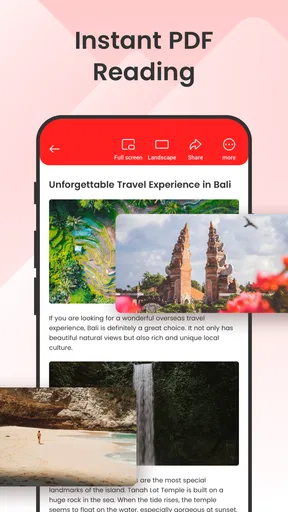
- Quickly opens and previews common PDF documents.
- Simple interface makes basic file handling easy.
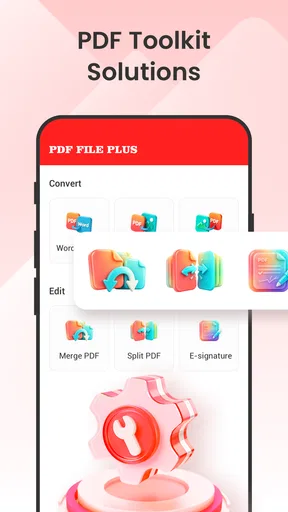
- Useful tools for organizing PDFs on a mobile device.
- Supports sharing documents directly from the app.
- Convenient for reading files without a desktop computer.
Limitations of PDF File Plus
- Advanced editing features may be limited.
- Some functions may require in-app purchases or subscriptions.
- Large PDFs can take longer to load on older devices.
- Text extraction and formatting may not always be accurate.
- Ads can interrupt the experience in the free version.
Similar Picks in This Category
View All
Google Calendar
Google LLC4.6

Google Drive
Google LLC4.3

Google Assistant
Google LLC3.9

Microsoft OneDrive
Microsoft Corporation4.6

Samsung Calendar
Samsung Electronics Co., Ltd.4.1

Microsoft OneNote: Save Notes
Microsoft Corporation4.6
Frequently Asked Questions
What is PDF File Plus used for?
PDF File Plus is designed to help users open, read, organize, and manage PDF documents on a mobile device. Depending on the version and platform, it may also provide tools for basic document handling, such as searching within files, sharing PDFs, renaming documents, or viewing files received through email and messaging apps. It is mainly useful for everyday reading and file access rather than advanced desktop-level editing.
Can PDF File Plus edit or create PDF documents?
PDF File Plus may include some basic PDF management features, but users should not automatically expect the full editing capabilities found in professional desktop software. Before downloading, check the current app listing to confirm whether it supports annotations, highlighting, signatures, page rearrangement, PDF creation, or text editing. Some features may be limited, require an in-app purchase, or vary between the Android and iOS versions.
Is PDF File Plus free to download and use?
The availability of free features, advertisements, subscriptions, or one-time purchases can depend on the version available in your region. The app may allow users to view PDF files without payment while reserving certain tools for a premium plan. It is worth reviewing the store description and purchase details before installing, especially if you need advanced functions or want an ad-free reading experience.
Is PDF File Plus safe for opening and storing documents?
PDF File Plus should be downloaded only from an official Google Play Store or Apple App Store listing to reduce the risk of installing an altered copy. When using the app, review the permissions it requests and consider the sensitivity of the documents you open. Avoid importing confidential files unless you understand whether documents remain locally stored or are uploaded to an online service for processing.
Does PDF File Plus work without an internet connection?
Basic PDF reading will often work offline after a document has been downloaded to the device, which makes the app convenient for travel, school, or areas with unreliable connectivity. However, features such as cloud synchronization, online file importing, advertisements, account services, or document conversion may require internet access. Test the functions you need before relying on the app while offline.
